
Everything Sambal does. And what it doesn't.
Sambal keeps the recipe, helps you cook it and stays out of the way. Here is the whole app on one page.

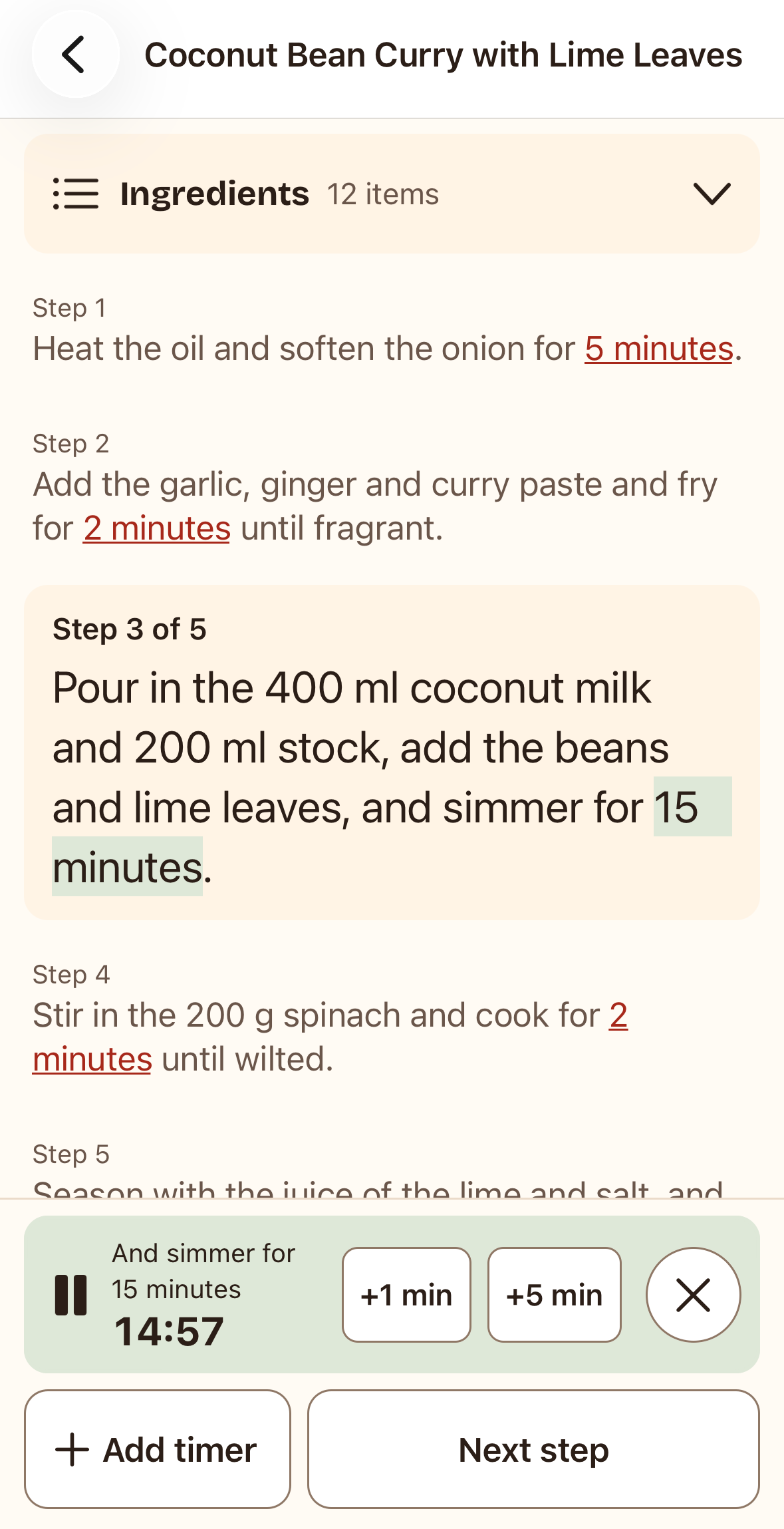
Timers
Tap a time. The timer starts.
Tap a time in a step, like “simmer for 20 minutes”, and a timer starts. Add as many as you need. Timers keep running when your phone is locked, and you get a notification when one is done.
Cook mode
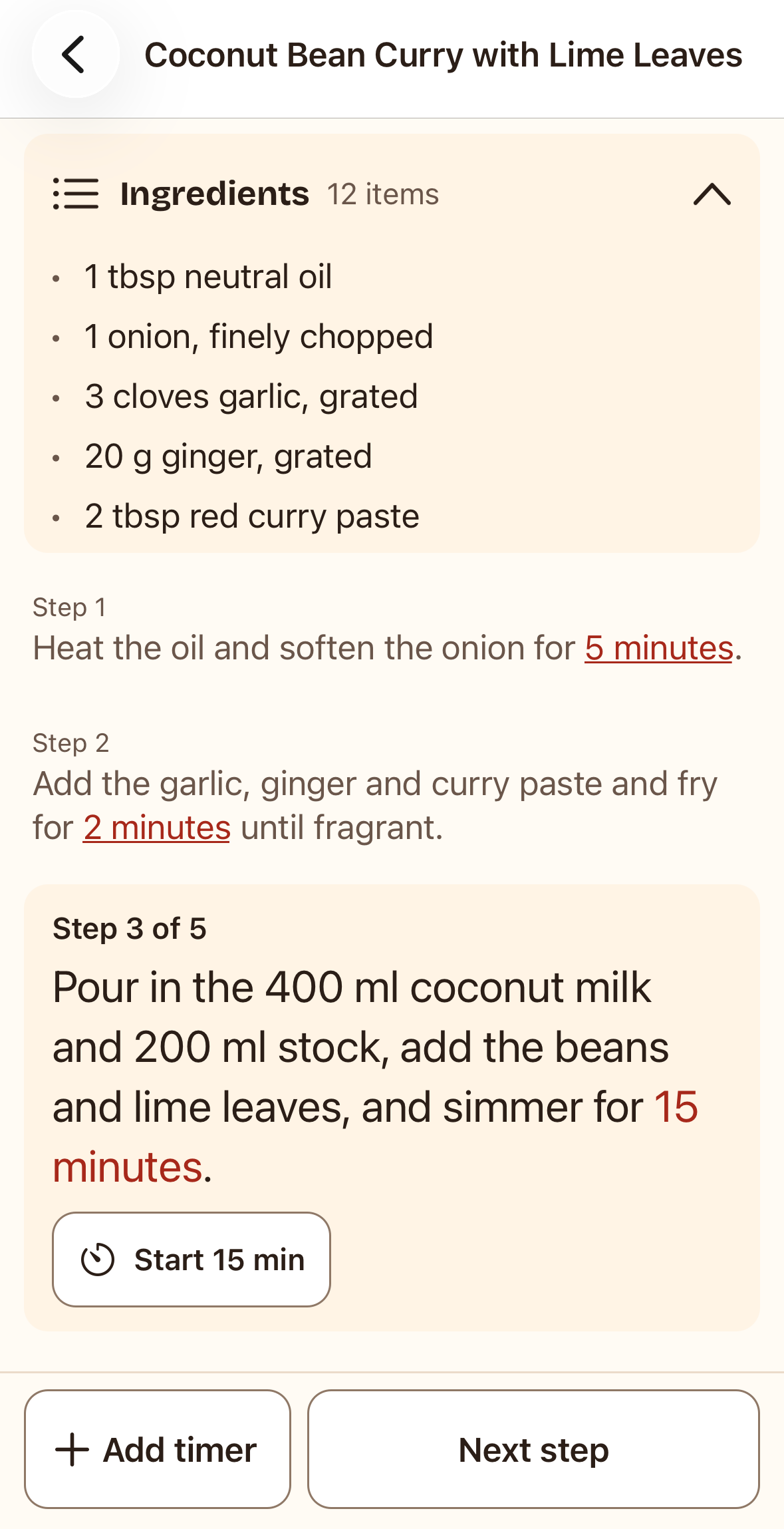
Ingredients and steps on one screen.
Cook mode puts the ingredients and the steps on one screen. Open the ingredient list without losing your place, step through the recipe with one tap, and the screen stays on while you cook.
Private
No account. Everything stays on your iPhone.
Sambal has no account. When you paste a link, your iPhone fetches the page and keeps the recipe; nothing passes through Sambal. No app analytics, no ads, no tracking. Sambal has no server of its own. The only personal data involved is what Apple and RevenueCat need to confirm the Pro purchase.
-
Credits the source
Every recipe keeps a link to the site and the cook it came from.
-
Edit anything
Fix a step, add your own notes, or type in grandma's recipe by hand.
-
Times at a glance
Prep, cook and total time on every recipe, so you know what fits tonight.
What Sambal doesn't do
Sambal does one job. Here is what it doesn't do, so you know before you download.
-
No sync between devices
Your recipes live on one iPhone.
-
No meal planner
And no shopping list. Just recipes.
-
iPhone only
Made for iPhone. No iPad, Mac or Android version yet.
-
No paywall tricks
It only saves recipes you can already open.
